
Back to start
Pick device2Install3Start class
Set up on mobile / tabletOne device, nothing else needed.
- Install Minecraft BedrockApp Store or Play Store (~$10). Sign in with a Microsoft account after launch.
- Install the Aleph Kids mobile appSearch for Aleph in the App Store or Google Play and install the Aleph Kids app.
- Start your first class (the tutorial)In the Aleph Kids app, tap Start class — it checks your voice connection with Annie, then connects you to Minecraft. When the connect screen shows an address like
xxxx.play.alephlab.ai, add it to your server list:- Open Minecraft → Play
- Open the top Servers tab — depending on your Minecraft version/device it may be labeled Featured Servers, Multiplayer, or similar (it is the same tab)
- Tap Add Server and enter the
xxxx.play.alephlab.aiaddress shown above - Be sure to meet Annie in the game and have a conversation!
- In the tutorial, after a short chat, come back to the Aleph Kids app to try the different modes!
(If you join an existing world, Annie won’t show up — be sure to enter through the new server.)For the full walkthrough, see the tutorial.📷 View step-by-step screenshots (5)▾
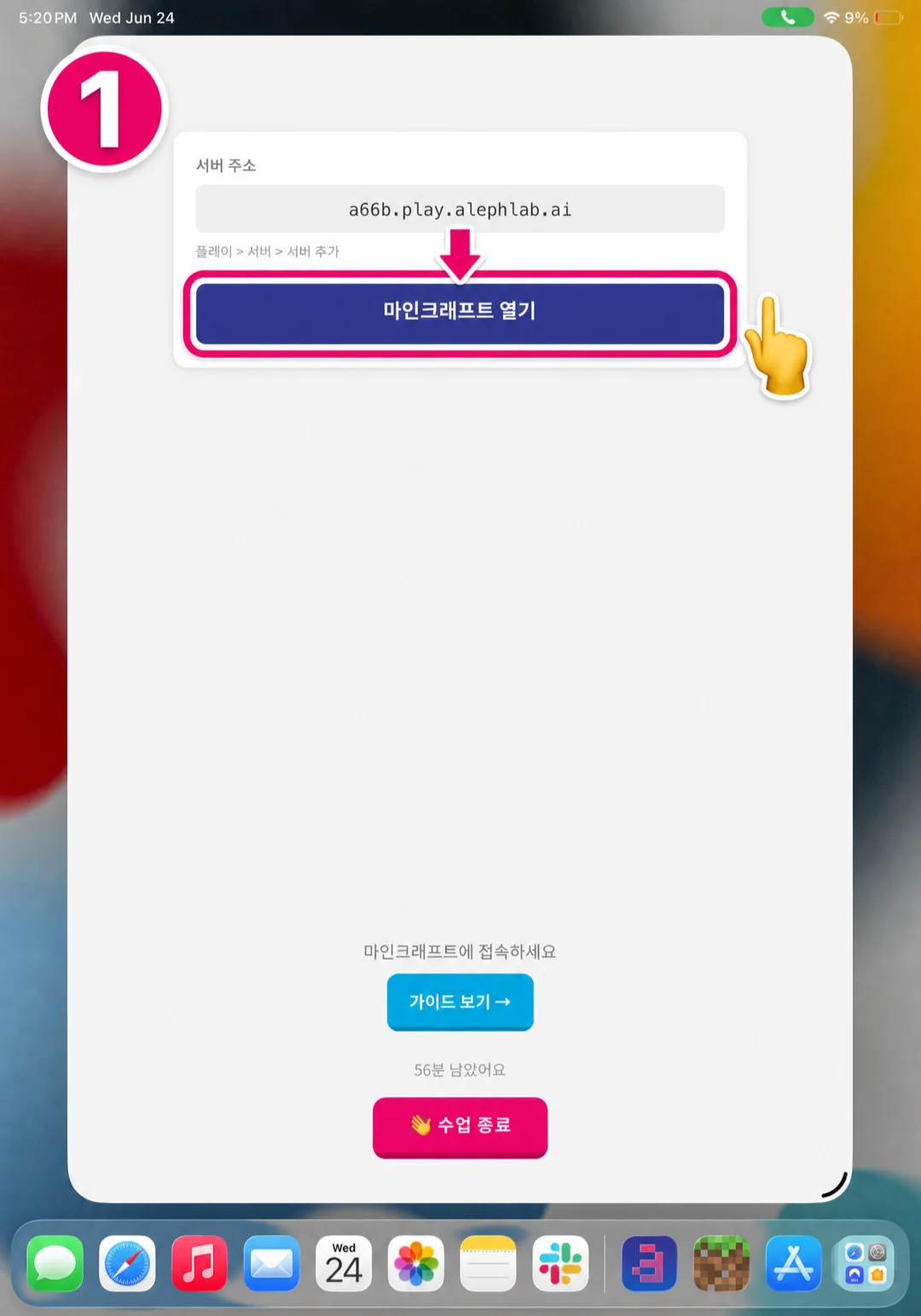
1) In the Aleph Kids app, note the server address, then tap 'Open Minecraft' (마인크래프트 열기). 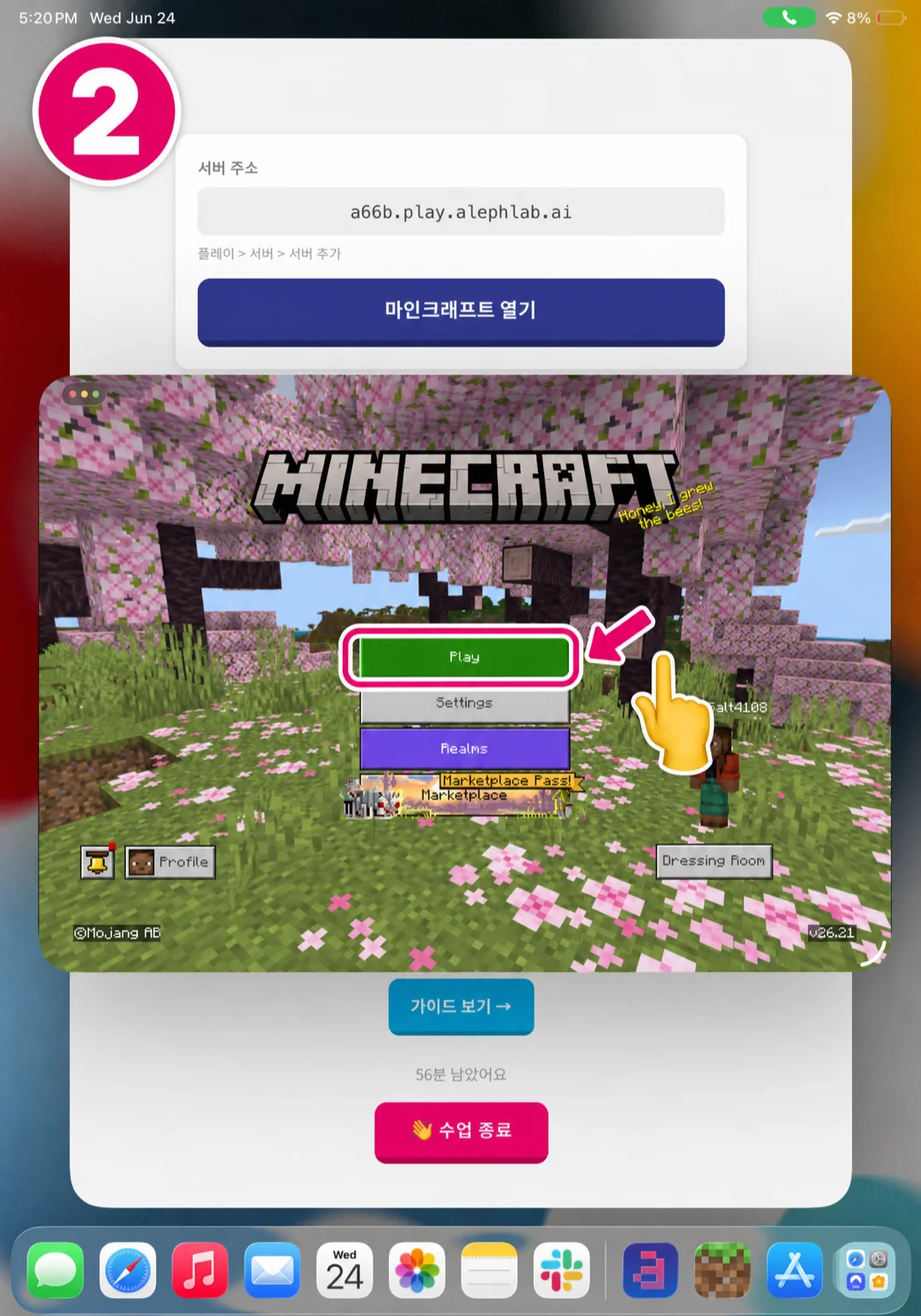
2) When Minecraft opens, tap 'Play'. 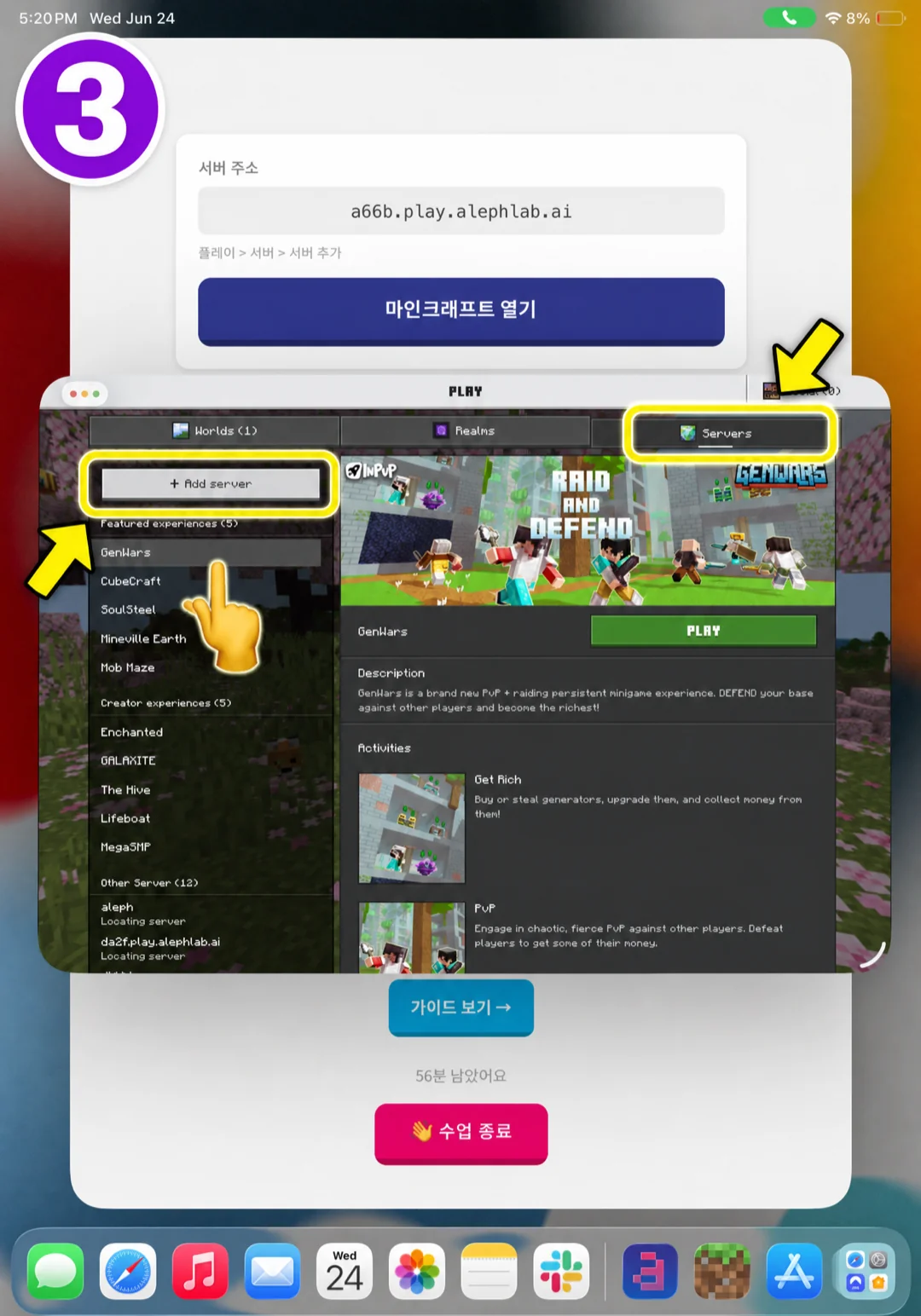
3) Open the top 'Servers' tab and tap '+ Add server'. (It may appear as 'Featured' / 멀티플레이 체험 · 발견 on some devices.) 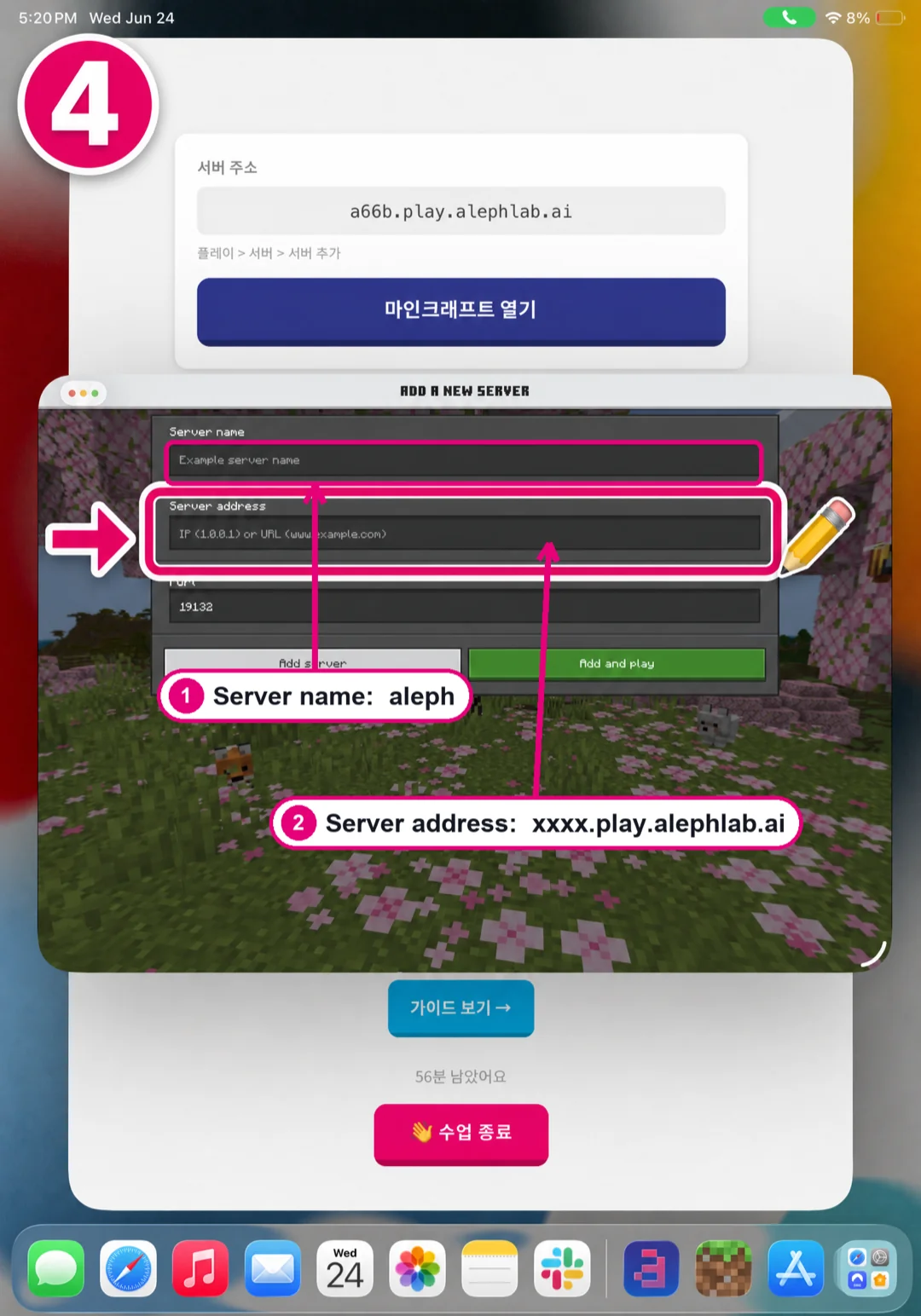
4) For Server name type anything (e.g. aleph); for Server address type the xxxx.play.alephlab.ai address exactly. Watch for typos — it's easy to mistype the letter l as the digit 1, or b as p. Add it once and reuse it — adding it twice causes a U-000 error. (Leave Port 19132.) 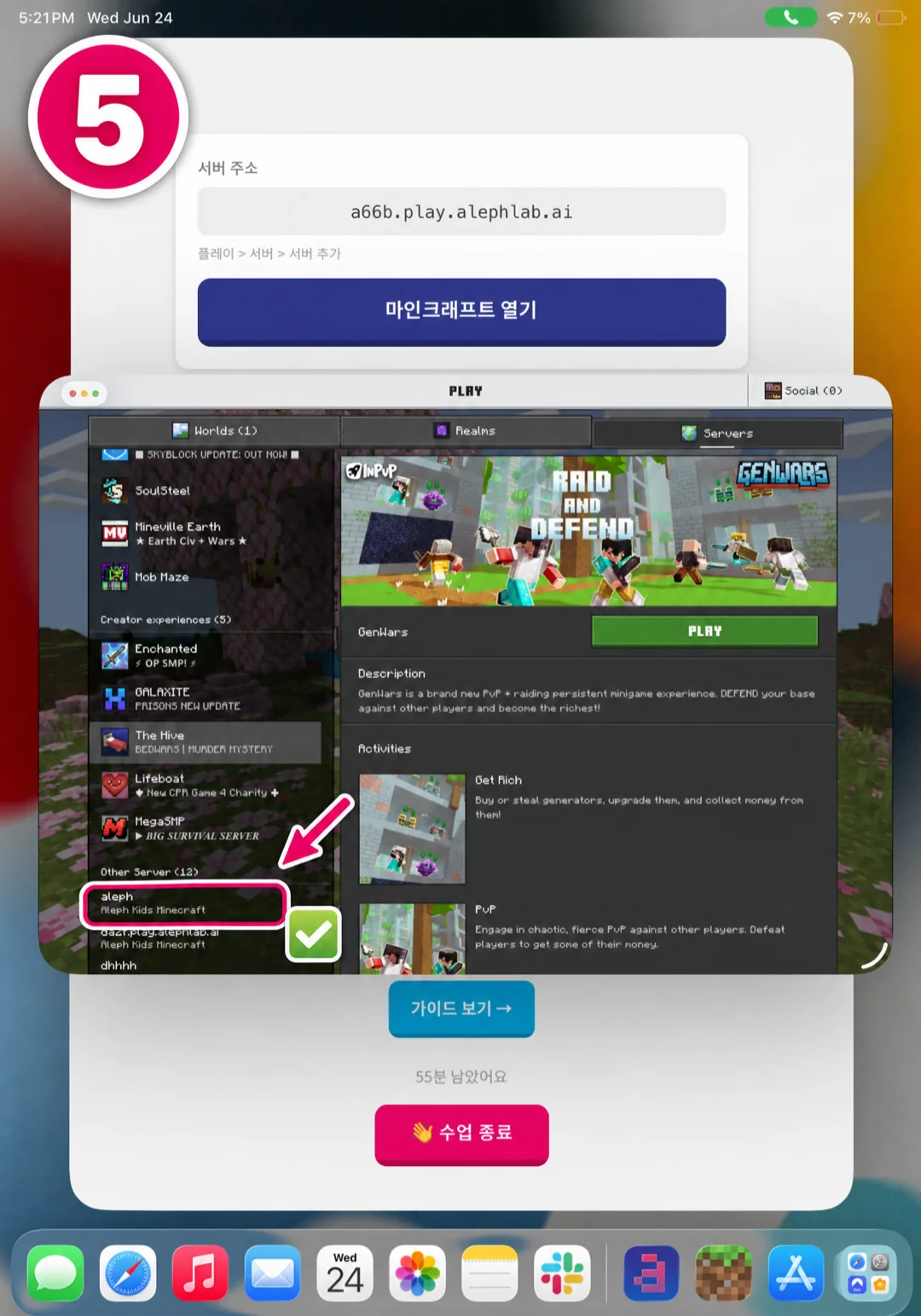
5) Tap the added 'aleph' server in the list to connect — done! Next time, just tap this server to jump right in. - Joining other classes (e.g. Survival)Unlike the first class, other classes start with the quiz! When you come back into the game after the quiz, you do NOT need to Add Server again — in your server list, scroll all the way down on the left to find the aleph server you already added, and tap it to join.
One-device flow. Voice and game hand off inside one app — you don't need a second device like consoles do.
If the colors look dull or washed out. In Minecraft, set Settings → Video → Mode → Fancy (화려하게). It gives the most vivid look on almost every device. (Vibrant Visuals / 선명한 비주얼 only renders correctly on certain high-end devices.)
If Annie isn't responding. Your mic may not be reaching her. First, check for an Aleph Kids update in the App Store · Play Store, then fully close and reopen the app. If Annie still can't hear you, check that microphone permission is ON in your phone Settings.